Appearance
Markdown Halcyon renders
CommonMark, plus the GitHub extensions below. Anything not on this list stays as the literal text you typed, which is the right answer for a file that has to keep working in other tools.
| Feature | Syntax |
|---|---|
| Tables | | a | b | with a --- separator row |
| Task lists | - [ ] and - [x] |
| Strikethrough | ~~struck~~ |
| Footnotes | [^1] and a [^1]: definition |
| Alerts | > [!NOTE] and the four others below |
| Smart punctuation | Straight quotes become curly, -- becomes an en dash |
| Mermaid diagrams | A fenced block tagged mermaid |
| Syntax highlighting | A fenced block tagged with a language |
Most of that list has a command, so it doesn't have to be typed from memory. See Formatting. Footnotes are the exception, and so is a mermaid fence: the /code menu offers the languages the editor can highlight, and mermaid isn't one of them. Tag that fence yourself.
Task list checkboxes render in the preview but don't respond to clicks. Preview is for reading; ticking a box is an edit, and edits happen in the editor, where the same box is clickable.
Alerts
The five GitHub kinds, each with its own colour and icon:
markdown
> [!NOTE]
> Useful information a reader should notice even when skimming.

> [!TIP]
> Optional guidance that helps someone do something better.

> [!IMPORTANT]
> Key information a reader needs to achieve their goal.

> [!WARNING]
> Urgent information needing immediate attention.

> [!CAUTION]
> Advice about risks or negative outcomes of an action.
Note
The marker has to be alone on the first line of the blockquote. Anything else and it stays an ordinary quote with a literal [!NOTE] in it, which is what GitHub does too.
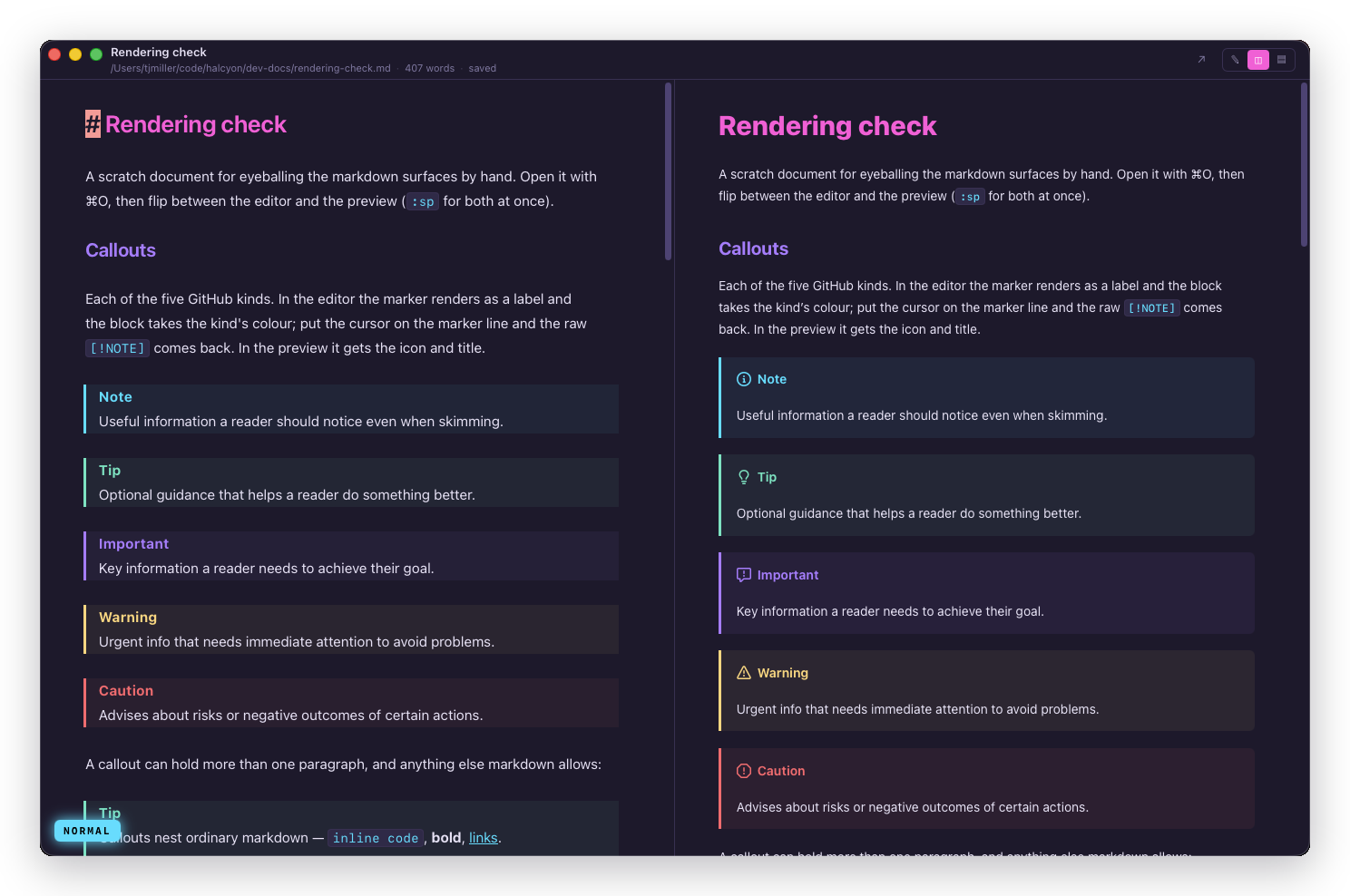
In the editor, the marker renders as a coloured label and the whole block takes the kind's colour. Put the cursor on the marker line and the raw [!NOTE] comes back, like every other marker.
Mermaid diagrams
Tag a fence mermaid and the preview draws it:
markdown
```mermaid
graph LR
  Idea[Rough idea] --> Draft[Draft]
  Draft --> Review[Review]
  Review --> Published[Published]
```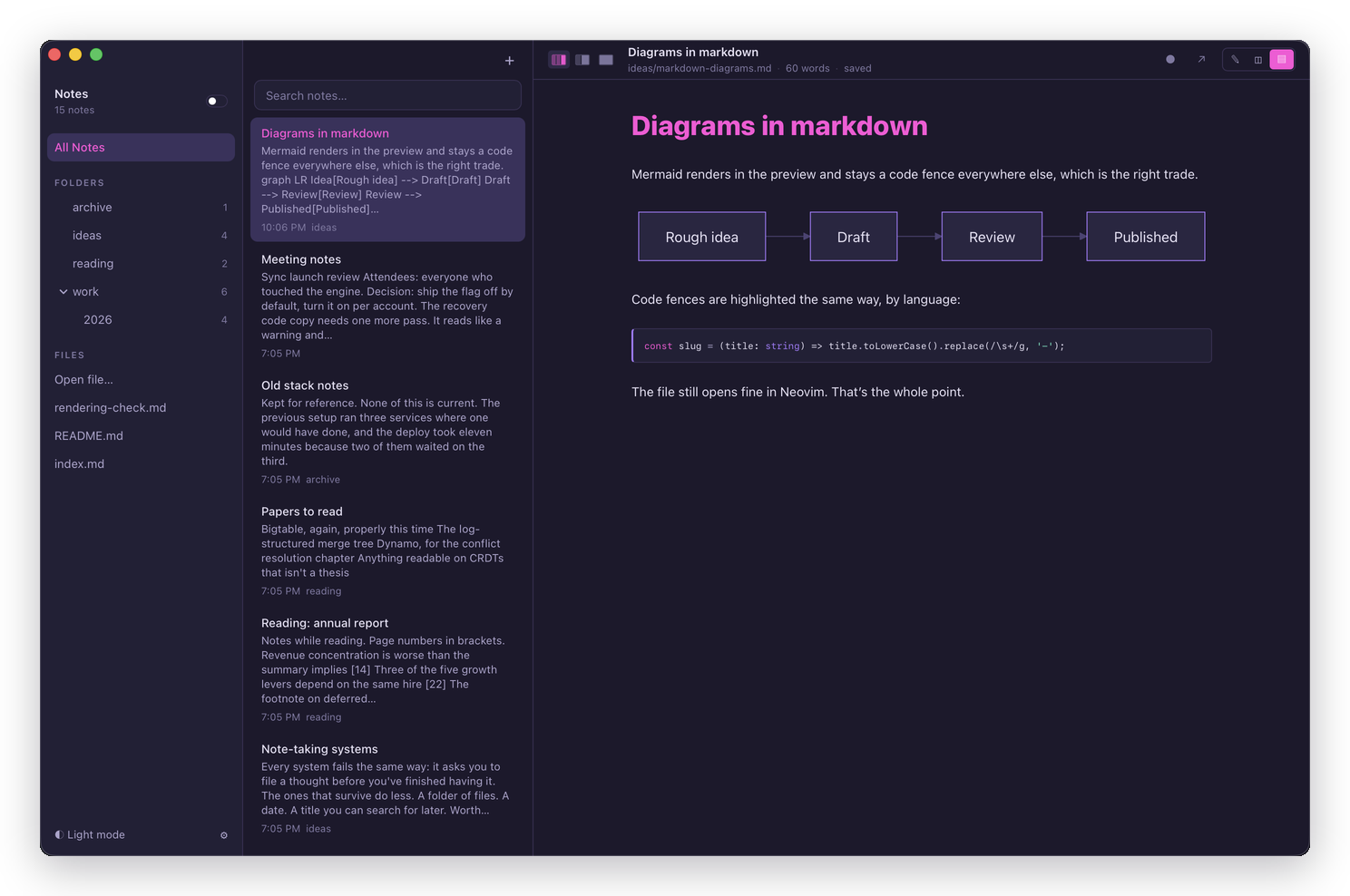
The fence stays a code block everywhere else, including in the editor and in any other markdown tool that opens the file. That's the trade worth having: the diagram is readable as source, and the note doesn't stop being portable markdown because you drew something in it.
A diagram that fails to parse shows the error over its source rather than disappearing.
Images
Relative paths resolve against the note's own location, so  finds the file sitting next to it.
Images aren't indexed as notes and aren't listed anywhere in the app. They're files in your folder that the preview knows how to draw. An image whose path doesn't resolve shows its alt text instead of a broken-image glyph.
An image hosted on the internet is fetched when you preview the note, and that tells whoever hosts it. They learn that the file was opened, roughly when, and from which IP address. Nothing has to be compromised for this to happen and you don't have to click anything:  is a read receipt for a note, and it works whether or not you wrote the note.
That's worth knowing about because of what this app is good at, below: opening a README from a repository you just cloned, or a note that arrived from another Mac. Halcyon draws those images because notes that paste an image from the web are ordinary and there's no local copy to fall back on. If a note came from somewhere you don't trust and you'd rather not say you read it, read it in the editor rather than the preview.
What the preview drops, and why
Raw HTML. A <div>, a <script>, an <img onerror=…>: all discarded rather than sanitised.
Unsafe link schemes. Only http:, https:, mailto:, file: and tel: survive. [click](javascript:alert(1)) renders as a dead link.
A link's destination, if the preview doesn't like where it goes. Clicking a link doesn't hand the address to anything: Halcyon looks up where that link went in the note it rendered, works out the destination itself, and opens that. A link pointing out of the folder you're reading in raises a dialog naming the file first. See Following a link out of a document.
Your .md file keeps whatever you wrote, exactly as you wrote it. Only the rendered view drops it.
Important
This matters most for the thing Halcyon is unusually good at: opening a README from a repository you just cloned. You didn't write that file, and the preview treats it accordingly.
With one exception, and it's above: a remote image still loads. Dropping raw HTML and unsafe schemes stops a stranger's note running code or opening a nasty link. It doesn't stop the note noticing that you opened it.
Frontmatter
A note that opens with a YAML block, the way Jekyll, Obsidian and this docs site itself all write one:
markdown
---
title: A real title
description: One line for a link preview
---

# The note itself starts here
Halcyon recognises the block: it stops being a horizontal rule and a heading made of colons, and becomes what it actually is.
A title: key wins over the note's own heading, everywhere the app shows a title: the note list and search results. It never renames the file, and it never reaches the window's title bar either: that's the vault's folder name, or the open file's own name in a single-file window, and doesn't change with whichever note you're viewing. Everything else about the block draws as a collapsed row above the preview, each key dimmed and each value beside it, truncated until you click it open.
The block has to open on the file's very first line and close with a line that is exactly ---. A block with a blank line before it, or one that never closes, is left as ordinary markdown - which for a --- pair is a heading, the same as it always rendered before Halcyon knew what frontmatter was.
Turn the row off in Settings without losing anything else: recognition, the title override and search all keep working with it hidden.
A block Halcyon can't parse still opens. An unclosed quote or a stray bracket in the YAML costs the chip row, nothing else - the note indexes, the title falls back to its heading, and every word of the file, block included, stays searchable. Halcyon never rewrites a note to fix its frontmatter, or to add one.
The buffer itself is unaffected: the editor shows the block as plain markdown text, syntax highlighted like the rest of the file, with no property panel and nothing hidden. What you see is what's on disk.
Every value in the block can also narrow the note list. Typing status:draft in the search box finds notes where status is exactly draft, not just notes containing that word. See Filtering by frontmatter.
What isn't supported
- LaTeX and math. No
$…$rendering. - Custom containers. No
:::blocks.