Appearance
Linking notes together
Type [[ and Halcyon offers the notes in your vault. Pick one and you have a link you can follow, in a file that is still ordinary markdown.
Writing one
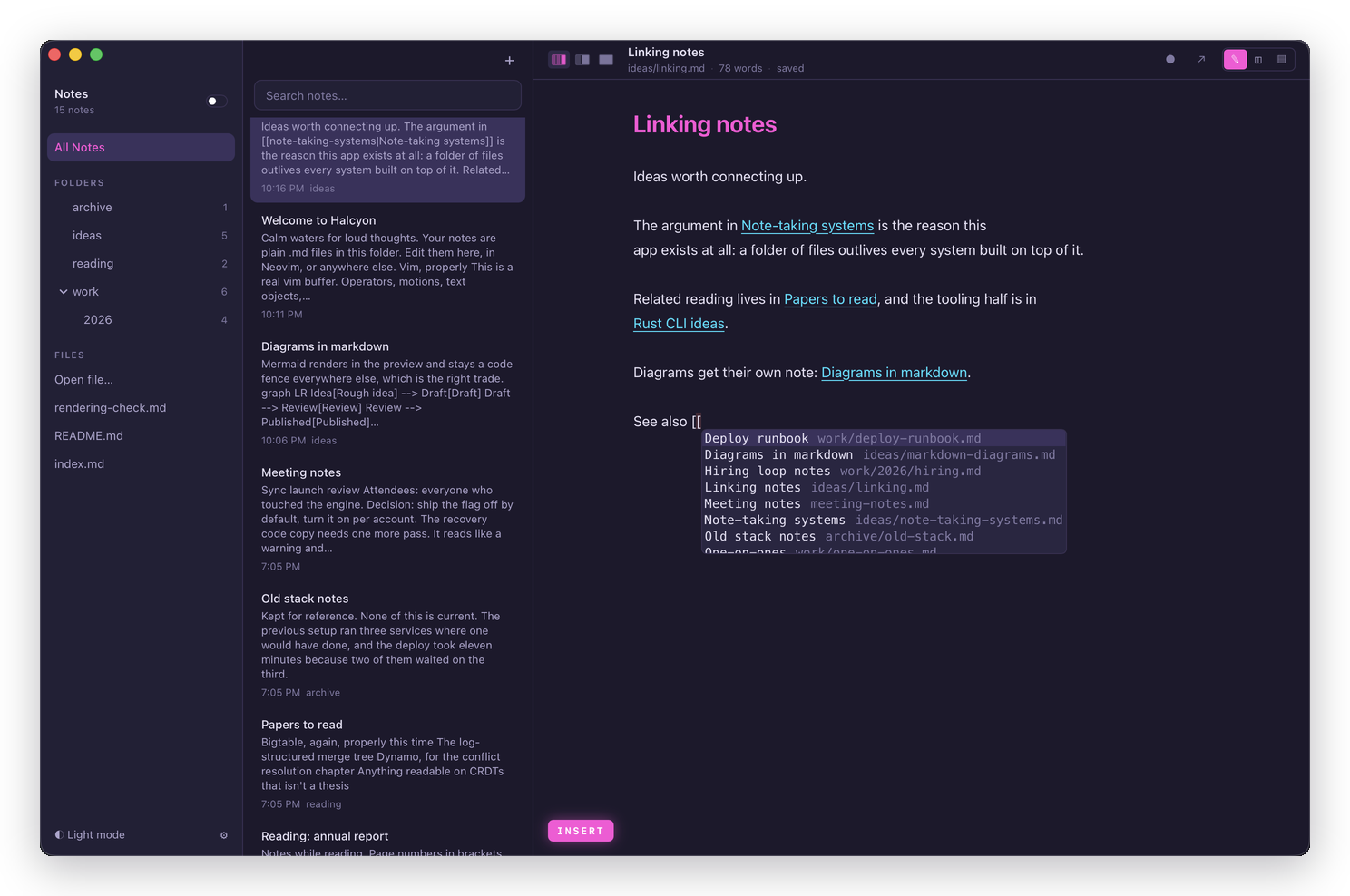
Start typing [[ anywhere in a note. A list appears, narrowing as you type, with each note's title and its path beside it in grey.
| Key | What it does |
|---|---|
| Tab | Accept the highlighted note |
| ↑ ↓ | Move through the list |
| Esc | Close the list and carry on typing |
Accepting writes [[note-taking-systems|Note-taking systems]]: the filename first, then the title you'll actually see.
Esc closes the list without dropping you out of insert mode, so a [[ you didn't mean costs you nothing.
What a link looks like while you write
The editor draws the title alone, so a paragraph full of links still reads as a sentence:
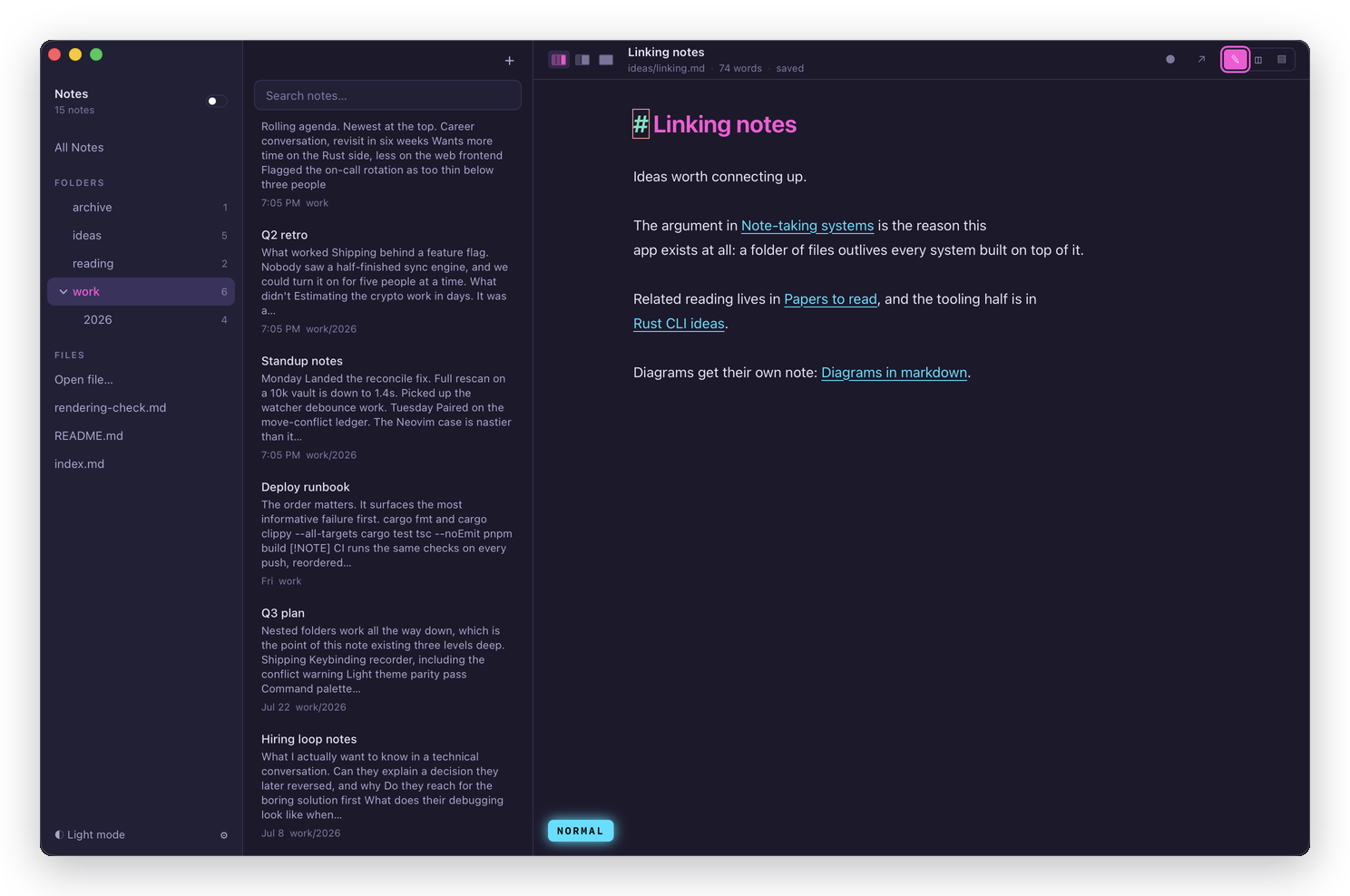
Put the cursor on that line and the raw [[…]] comes back:
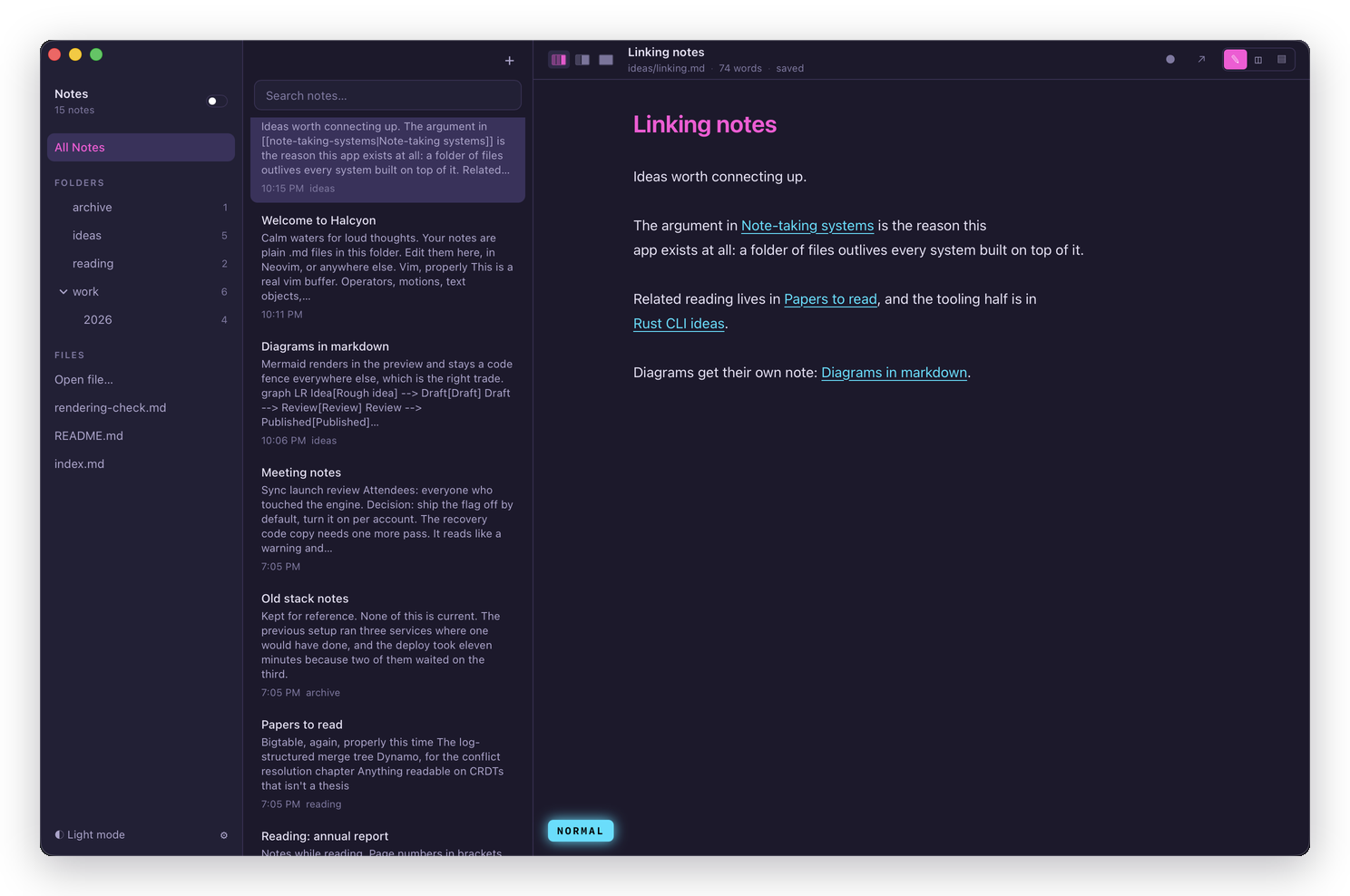
That's the same rule as the rest of the editor. You're always editing the characters that are in the file, never a rendering of them.
Following one
| Gesture | What it does |
|---|---|
gf | Follow the link under the cursor |
| ⌘-click | Follow it |
| Click | Place the cursor, and nothing else |
A plain click leaves the link alone on purpose. Clicking is how you get to a word to edit it, and a link you can't put your cursor inside is a link you can't fix.
Links work in the preview too, where an ordinary click follows them.
Seeing what links here
<Space>b, :backlinks, or the Backlinks row in the command palette, opens a results pane listing the notes pointing at the one you have open, with the sentence each link sits in:
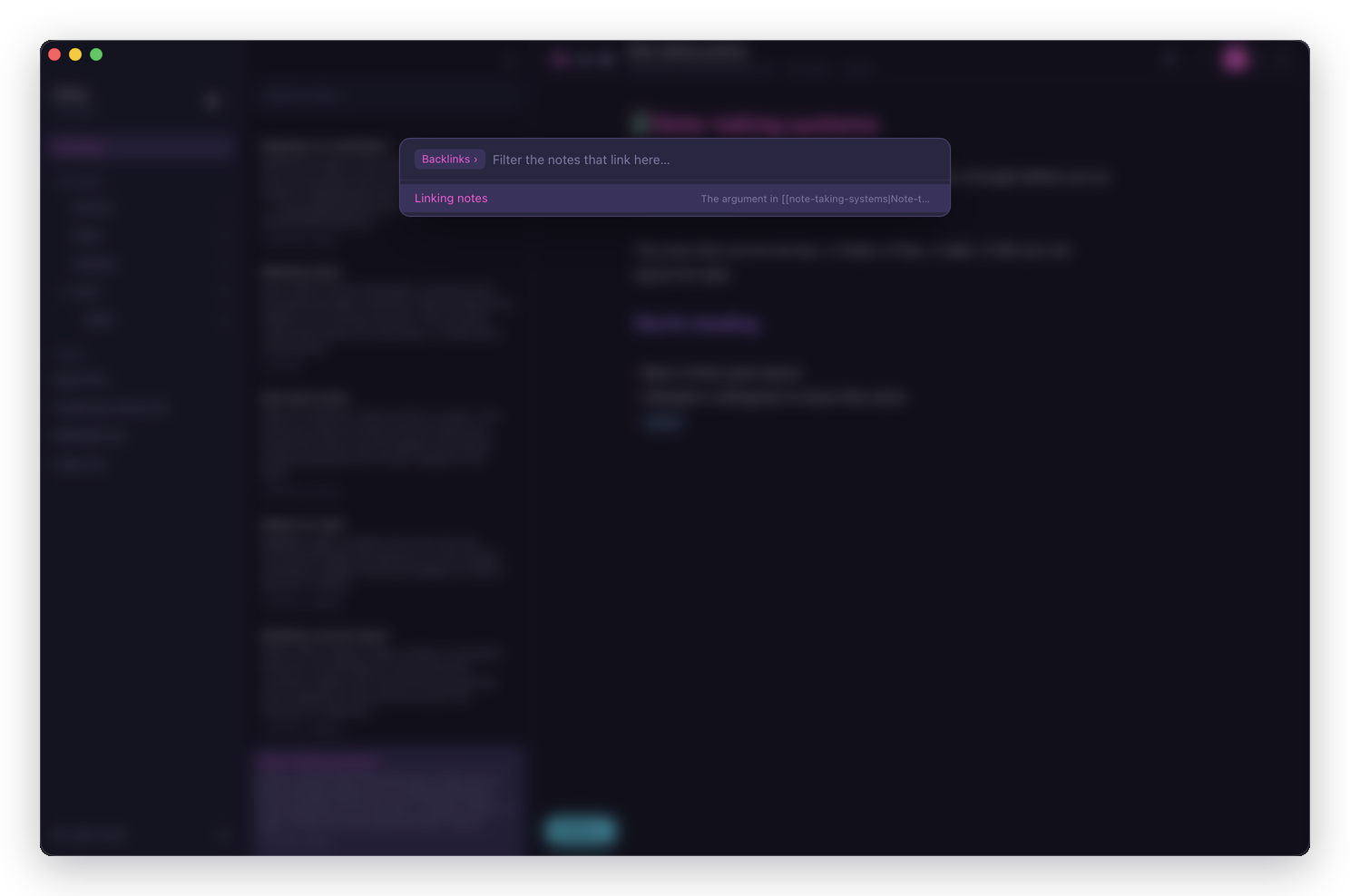
Click a row, or use ↑ ↓ and ↵, and the editor jumps straight to the link. See Walking every place a phrase appears for the rest of the pane's keys, which this shares.
The palette row also carries the count, so Backlinks (3) answers "does anything link here?" without opening anything. A note nothing links to still shows a row, reading Backlinks (0): that's an answer, not an error.
Which note a link finds
The text before the | is matched against your notes' filenames, ignoring case and a trailing .md. So [[rust-cli]], [[Rust-CLI]] and [[rust-cli.md]] all find rust-cli.md, wherever in the vault it lives.
Folders aren't part of the match, which is what lets you move a note without touching a single link to it.
Note
If two notes in different folders share a filename, a link naming only that filename is ambiguous and Halcyon won't guess between them. Spelling one of them exactly as it appears on disk resolves it.
Other names a note answers to
A frontmatter aliases: list gives a note extra names a [[wiki link]] can reach it by:
markdown
---
aliases: [cli, rustcli]
---
[[cli]] from anywhere in the vault resolves to that note, exactly as [[rust-cli]] would. The [[ completion list offers it too, and asking for that note's backlinks lists whatever wrote [[cli]].
Two notes claiming the same alias is the same problem as two notes sharing a filename: [[cli]] is ambiguous and resolves to neither, and both notes are still reachable by their real names.
An alias is a way in, not a way out. Halcyon never writes one: renaming a note still rewrites every link to it with the real filename, never an alias, so a link naming cli stays [[cli]] and doesn't get rewritten to something you didn't type. See Frontmatter for how the aliases: key is recognised in the first place.
Renaming a note keeps its links
Rename a note with ⌘⇧R and every link pointing at it is rewritten to match. Moving a note needs nothing at all, because folders were never part of the match.
That's the reason to prefer [[…]] over a plain markdown link between notes: a relative path breaks the moment either end moves.
They're still just files
[[note-taking-systems|Note-taking systems]] is the text in your .md file. Open the vault in Neovim, grep it, commit it: the links are there as you typed them.
Other tools that understand wiki links, Obsidian among them, read the same syntax. Tools that don't will show the brackets as text and change nothing.