Appearance
Adding another Mac
A vault that syncs to one Mac isn't doing much. This is the other half.
Sign in on the second Mac first (Settings → Sync), then open the vault.
Attaching the vault
Open remote vault in Settings → Sync lists the vaults on your account. The empty window offers the same thing as Open a vault you sync from another Mac…, which is the screen a freshly signed-in Mac actually lands on.
Pick a vault, then pick a folder to put it in:
Pick a folder, empty or not. What's already in it merges with the vault: files unique to either side survive, and nothing local is deleted. A note edited in both places keeps the newer version here, with the other kept in history.
That merge promise is worth taking at face value. Attaching to a folder that already holds notes is a normal thing to do rather than a recovery path.
The account key handoff
A Mac that has never held your account key can't decrypt anything, and the server can't help it: the server has no key either. So a Mac that already holds the key has to let the new one in.
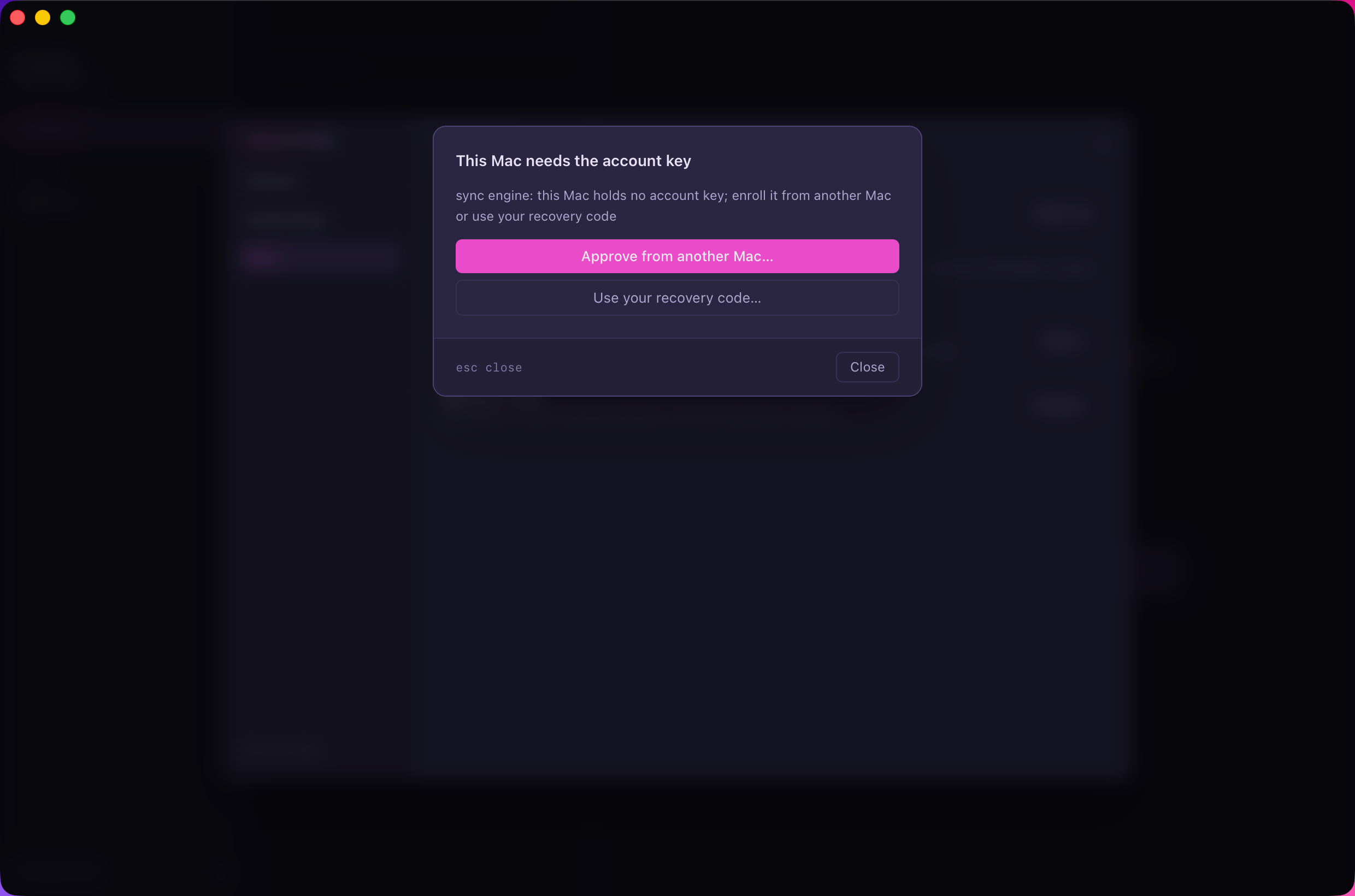
Two ways forward. Approve from another Mac… is the usual one.
On the new Mac
Press Approve from another Mac…. It raises a request and shows six digits:
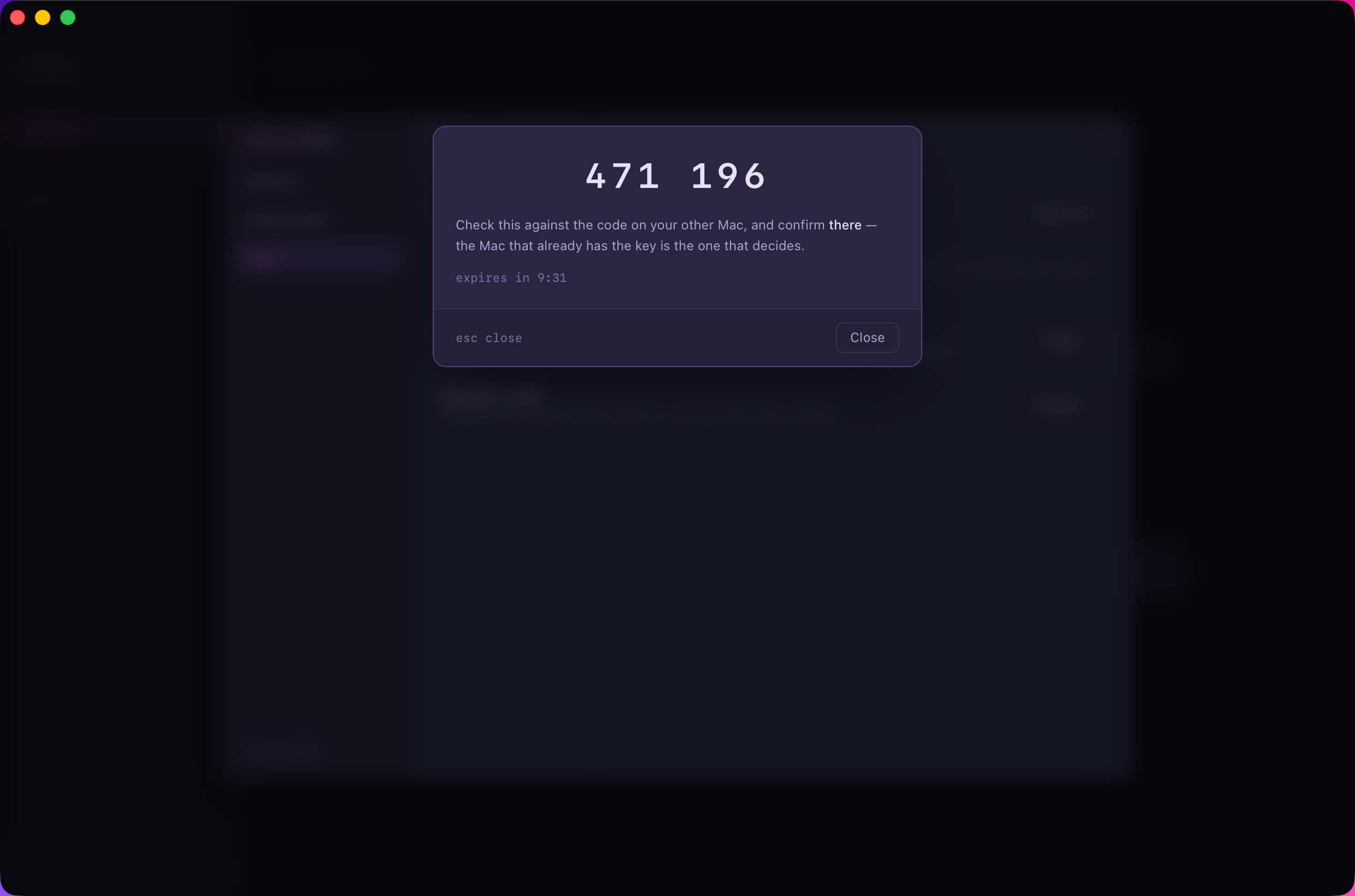
Notice what it says: confirm there, not here. The Mac that already has the key is the one that decides.
On the Mac you're already signed in on
A prompt appears naming the Mac that asked:
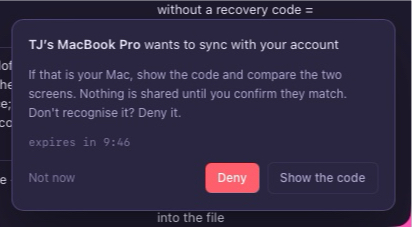
Show the code is not approval. It publishes this Mac's half of the exchange so the six digits can be computed, and the interface is careful about the difference. Nothing is shared until the next screen.
Then compare:
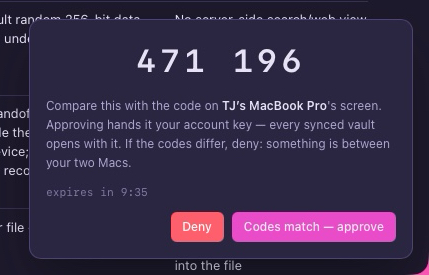
If the digits match what the new Mac shows, press Codes match, approve. If they differ, press Deny.
Important
Those six digits are the whole security of the handoff, not a formality on top of one. The server relays the exchange and can't forge them, so someone who stole your token can raise a request and still gets nowhere without a human reading two screens.
That's why it's a step you have to mean, rather than one you click through. ↵ never lands on approve by accident.
Requests expire, and the screens count down. If one lapses, start again: a failed handoff is always restarted rather than retried, because a value that moved mid-exchange is exactly what the code exists to catch.
When there's no other Mac to ask
Use your recovery code… does the same job. Halcyon asks for the eight groups of four you wrote down when the code was created, and dashes are optional.
If no recovery code was ever set and no enrolled Mac survives, the remote copy can't be opened by anyone, including us. That's the bargain end-to-end encryption makes, and it's stated up front for exactly this reason. Your local files on any surviving Mac are untouched either way, because they were never encrypted in the first place.
After it lands
The new Mac downloads the vault into the folder you picked and the status line settles to synced. From then on the two Macs are peers: either can edit, either can add notes, and nothing distinguishes the one you started on.