Appearance
Settings
⌘,, or the gear at the bottom of the sidebar. Three tabs: General, Keybindings and Sync.
General
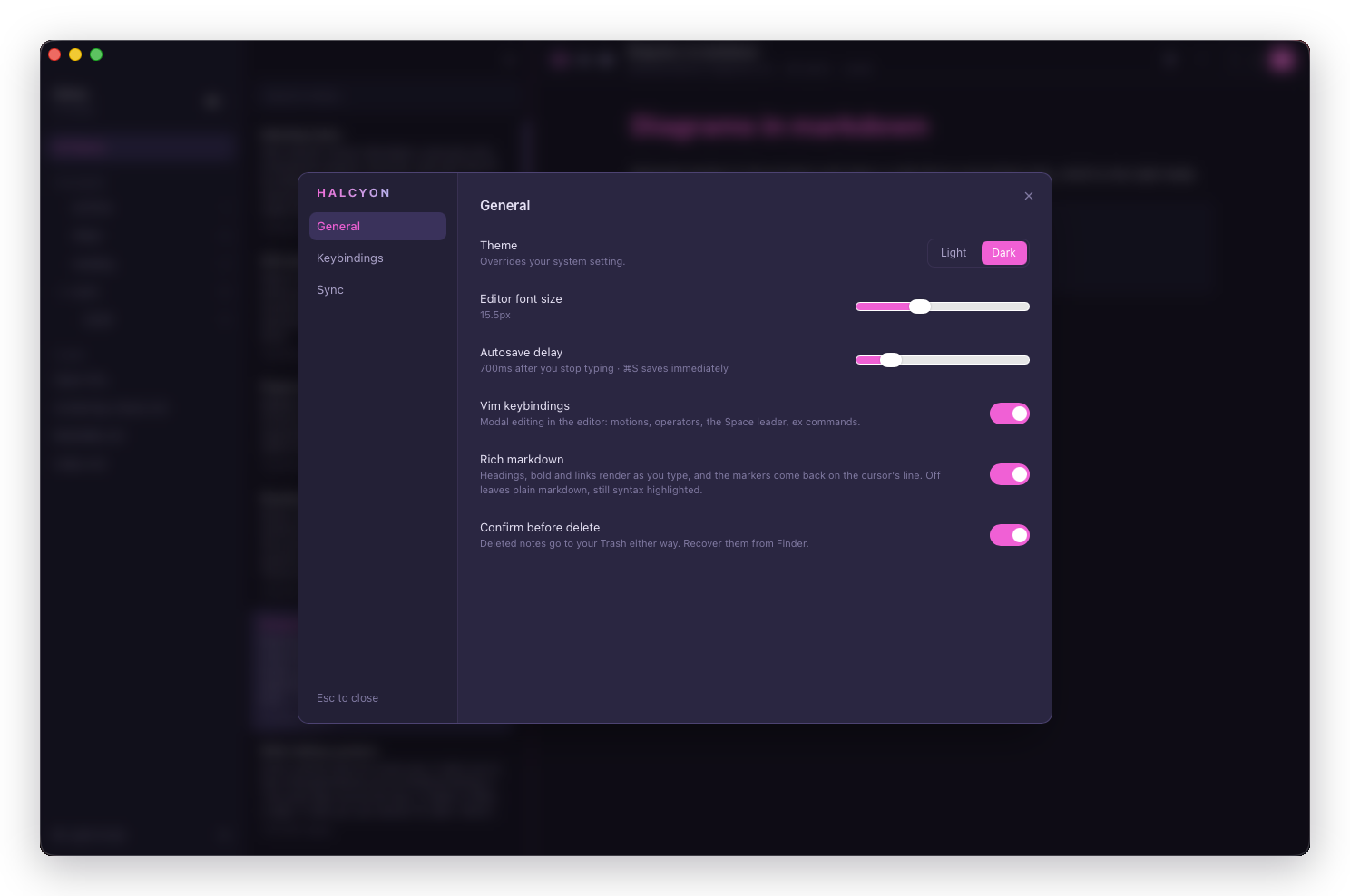
| Setting | Range | What it does |
|---|---|---|
| Theme | Light, dark | Overrides your system setting. ⌘⇧T toggles it from anywhere |
| Editor font size | 12px to 22px | The editor and preview. Default 15.5px |
| Autosave delay | 250ms to 3000ms | How long after you stop typing before Halcyon writes. Default 700ms. ⌘S saves immediately regardless |
| Vim keybindings | On / off | Modal editing in the editor: motions, operators, the Space leader, ex commands |
| Formatting toolbar | On / off | Buttons above the editor for headings, emphasis, lists, links and tables. Off by default |
| Rich markdown | On / off | Whether markdown styles as you type. Off leaves plain markdown, still syntax highlighted |
| Frontmatter | On / off | Whether a YAML block at the top of a note draws as a chip row in the preview. Off hides the row; the block still isn't part of the rendered content either way |
| Confirm before delete | On / off | Whether deleting asks first. Deleting a note or folder permanently removes it either way |
Turning Vim keybindings off leaves everything else working: the note list keeps its own j/k keys, and every app shortcut is unaffected.
Formatting toolbar is the surface described in Formatting. The first time you open a vault Halcyon asks whether you use vim, and answering No sets both switches at once: vim off, toolbar on. Halcyon → Run First-Time Setup… asks again.
Rich markdown is the same switch as ⌘⇧E, which toggles it for the session. Setting it here is what makes the choice stick.
Quick capture destination appears beneath these, on builds with quick capture. Unlike the rows above, it's set per vault, not app-wide - the window you're in when you open Settings is the vault it applies to. See Where it goes for what the two modes do.
Keybindings
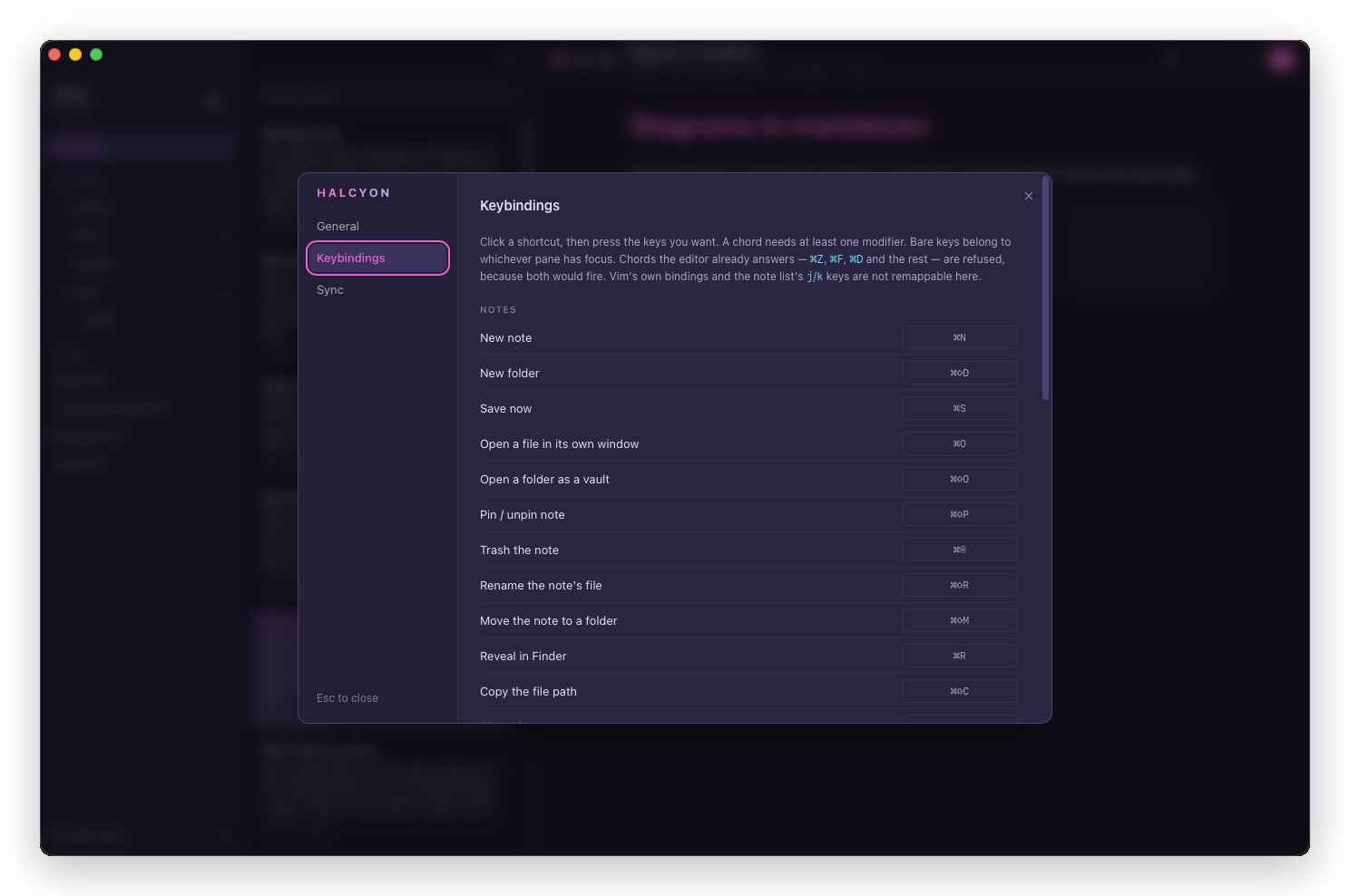
Click a shortcut, then press the keys you want. The recorder captures a real key event, so what you press is what gets bound.
Four rules it enforces:
- A chord needs at least one modifier. Bare keys belong to whichever pane has focus.
- Chords the editor already answers are refused. ⌘Z, ⌘F, ⌘D and the rest, because both would fire and you'd get two actions from one keystroke.
- A chord another command owns is refused. You get told which command has it rather than silently losing one.
- Vim's bindings and the note list's
j/karen't here. Those belong to the editor and the list, not to the global handler.
Rebound commands show a reset link, and Reset all at the top appears once anything is customised, with a count.
⌘B, ⌘I, ⌘⇧X and ⌘⇧K draw no section here at all: those belong to the editor rather than to the app, so this editor can't remap them.
Allow halcyon://capture, below the shortcut list, is a separate switch for capturing from a link rather than the hotkey - off by default, and only shown once your build has Quick capture at all.
Sync
Always here, on every build. Signed out it holds one sentence and a Sign in… button; signed in it fills in. See Turning Sync on.
| Row | What it does |
|---|---|
| Your account | Shows the plan state, with Sign out and a link to the website's device page |
| Sync this vault | Turns sync on or off for the vault this window has open |
| Open remote vault | Attaches a vault synced from another Mac |
| Recovery code | Creates one, or rotates the one you have |
Those rows are what the tab holds once you're signed in. Sync this vault needs a window with a vault open, so it's absent in a window showing a single file.
Where settings are stored
In the app's own storage, not in your vault. Your notes folder holds notes and nothing else, which is what makes it safe to point Halcyon at a git repository or a folder you share by other means.